
Review the onboard picture
Check the connectivity, hardware and application information available in the portal.


Give captains and crew an onboard view of connectivity, IT systems and available services, with access to support from the same portal.
Book a walkthrough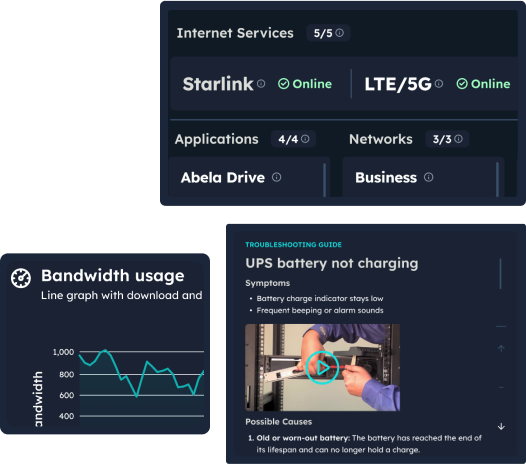
Published artwork brings internet service status, bandwidth usage and troubleshooting guidance into the onboard context.
Capabilities
Connectivity, ICT hardware and application information are brought into the captain’s portal.
The portal provides a route to support for the onboard team.
Pulse is designed for onboard operations and crew welfare; the available modules are reviewed for each vessel.
Inside abela Pulse
Give captains and crew the status views, access and support routes they need on board. Explore the deployment details below.
Pulse serves captains and onboard teams. Its role is to make the vessel’s digital environment understandable from the place where it is used. Begin the walkthrough with the vessel’s actual operating tasks, the people responsible and the information they need to see.
Review the status views and modules available for your installation. The onboard perspective should be demonstrated using the systems and services relevant to your vessel. Establish what information is available, which sources provide it and who is responsible when a system needs attention.
The portal provides a route to support alongside the vessel’s operational context. Agree the support arrangements, contact routes and escalation responsibilities before rollout. Confirm any priority handling or response commitments in the applicable service agreement.
Pulse is the onboard portal; abela.io provides fleet and site visibility to shore teams. During a demonstration, follow one operational question from the vessel to the shore perspective. Establish which team owns the next action and how people use the relevant application in their work.
Identify the captains and crew members who need access, the roles they hold and the responsibilities they retain. Review account administration and the modules relevant to each user. The goal is to give people the information appropriate to their role in the operation.
Start with installed systems, the available modules and the vessel’s operating constraints. Agree configuration, access and the support process. Before handover, demonstrate the required tasks and confirm the behaviour of the chosen functions on the connections the vessel uses. Include a period without connectivity: establish what remains visible, how old status information is identified and which support route the crew should use.
Connected services
Give the onboard team Pulse, connect shore teams through abela.io and run the vessel’s services on Zwana Nexus.
Plan your deployment
Choose the modules and access your onboard team needs, with a clear route to support when an issue reaches shore.
Captains and onboard teams. The available modules and user responsibilities are reviewed around the vessel.
Pulse serves onboard operations and crew welfare. abela.io provides the shore team with fleet and site visibility.
The onboard portal, available modules, vessel requirements and how the product fits your ship-to-shore workflow.
Which available modules fit the onboard operation is decided with your team. Nothing is assumed about the vessel’s environment.
Who on board uses Pulse, and what each role is responsible for, is defined during scoping rather than after handover.
Talk to One Net
Walk through the onboard portal, available modules and support routes with One Net. Start with the vessel you want to equip first.
Book an abela Pulse walkthrough